
Introduction
These CAD tools are built to model, simulate, and document mechanical parts and assemblies across a range of complexity. Engineers must translate design intent into manufacturable geometry while managing tolerances, materials, and motion. This survey highlights differences in modeling paradigms, collaboration capabilities, and downstream integrations with PLM, CAM, and CAE.
Some products focus on precise 2D documentation, others on history-based parametrics or direct modeling, and a few prioritize cloud-native collaboration. Choose a solution based on team size, required integrations, hardware constraints, and the nature of assemblies and surfacing tasks.
Best CAD Software by Use Case
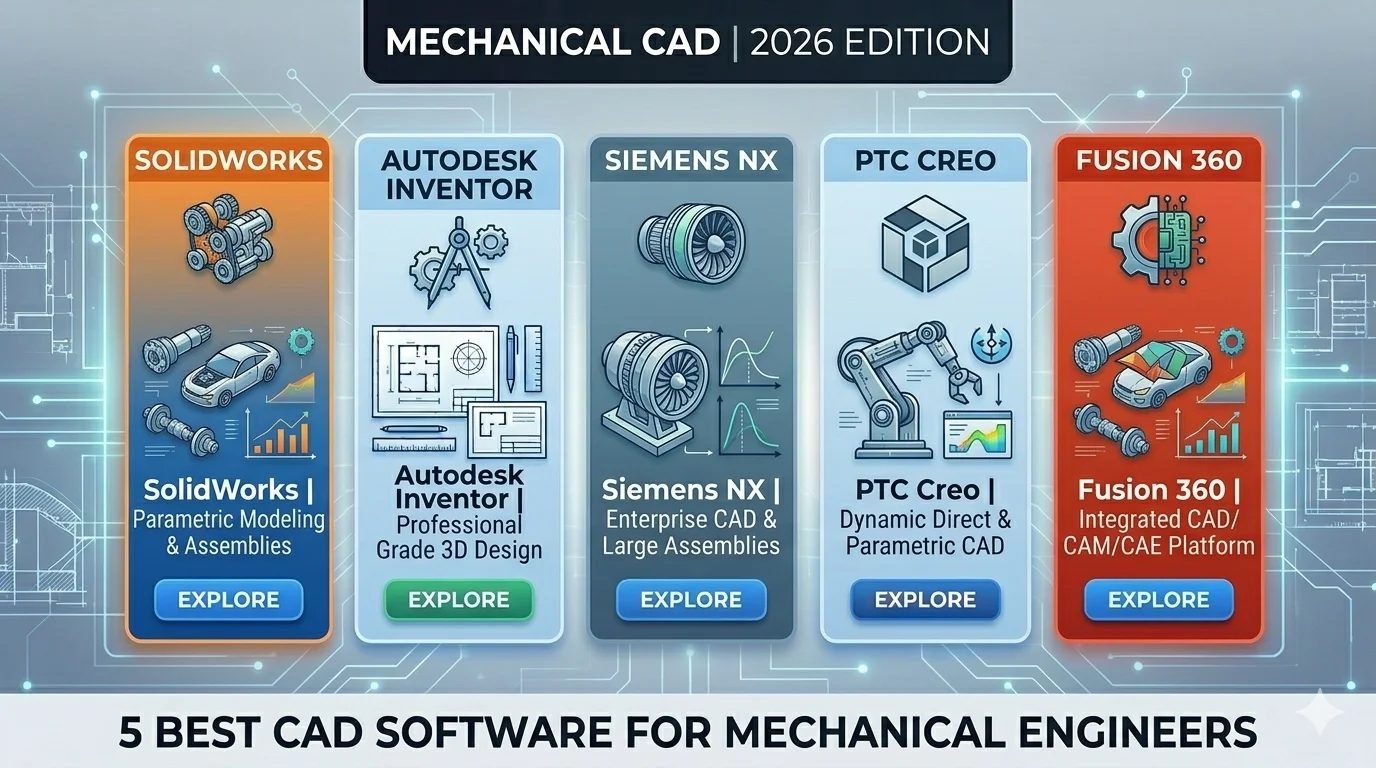
- Best Overall: SolidWorks for balanced parametric modeling, simulation, and manufacturing integration
- Best for Beginners: Fusion 360 for an intuitive UI and integrated CAM and simulation tools
- Best for Professionals: Siemens NX or CATIA for large assemblies, advanced surfacing, and enterprise PLM workflows
- Best Free Option: FreeCAD for open-source parametric modeling and extensible plugins
Comparison Table

AutoCAD
AutoCAD stands out for its DWG-native 2D drafting core and mature automation APIs (AutoLISP, .NET, ObjectARX). That combination is ideal for scripted drawing standards, automated title blocks, batch plotting, and reliable file exchange with legacy datasets. In mixed workflows it functions as the canonical 2D translator between CAD software and CAM, producing clean PDFs, DXFs, and annotated layouts for suppliers.
Typical use includes detailed manufacturing drawings, layer-controlled documentation, and electrical schematics integrated with PLM or PDM systems. While it supports basic 3D solids and visualization, it does not provide the parametric assembly management and advanced simulation found in SolidWorks or PTC Creo, so upstream modeling and FEM preparation usually occur in dedicated 3D CAD tools. Automation reduces repetitive drafting, but large raster backgrounds or multi-sheet sets can impact performance. File versioning commonly relies on external data management for concurrent multi-user workflows.
Technical constraints include no native advanced parametric assemblies, limited simulation, subscription licensing, and performance degradation on very large DWG sets. Choose AutoCAD when 2D production, standards-driven documentation, and DWG interoperability are primary requirements.
Best For: 2D-driven mechanical documentation and DWG exchange
Pricing: Subscription-based / Mid-to-premium
- Robust DWG interoperability
- Powerful automation APIs
- Standards-focused drafting
|
Pros ✓ DWG-native reliability ✓ Mature automation APIs ✓ Excellent 2D drafting tools ✓ Wide industry support |
Cons ✗ Limited parametric modeling ✗ Poor assembly management ✗ Subscription cost burden ✗ Performance on huge DWGs |
Explore more:
- View Full AutoCAD Review
- Visit Official Website
Conclusion
In summary, choice depends on whether you prioritize parametric feature history, surfacing, cloud collaboration, scripting, or cost. 2D-focused tools suit drafting-centric shops, parametric MCAD fits detailed mechanical design and assemblies, and cloud or scriptable platforms help distributed teams and automation pipelines. For many teams evaluating the best CAD software for mechanical engineers, weigh interoperability (STEP/IGES/DWG), available CAD software integrations, BIM workflows, and long-term support when selecting a primary engineering tool.
What is the best CAD software for mechanical engineers for general mechanical design?
For general mechanical design, SolidWorks and PTC Creo are commonly chosen for parametric part/assembly workflows; Fusion 360 and Onshape offer cloud-based collaboration and easier licensing. Siemens NX and CATIA serve high-end, complex engineering needs. FreeCAD and DraftSight provide lower-cost options for basic mechanical tasks. Choice depends on assembly size, simulation needs, and budget.
Which program is easiest for a new mechanical engineer to learn and start producing parts?
Fusion 360 and SolidWorks have more beginner-friendly UIs, integrated tutorials, and clear parametric workflows. Onshape’s browser-based interface reduces installation overhead. FreeCAD and TinkerCAD are simpler but limited; SketchUp and nanoCAD focus more on conceptual modeling rather than full mechanical feature sets.
How do pricing and value compare across the CAD packages in this list?
Cost ranges from free/open-source (FreeCAD, LibreCAD) to subscription-based cloud (Onshape, Fusion 360) and high-cost perpetual/enterprise solutions (Siemens NX, CATIA). Mid-range paid options include SolidWorks and PTC Creo. Evaluate license model, included simulation/CAM tools, and team collaboration needs to judge value for your projects.
Which CAD tools on this list are better for large assemblies and advanced simulation?
Siemens NX, CATIA, and PTC Creo are designed for large assemblies and advanced CAE integration. SolidWorks handles moderate assembly complexity with wide third-party simulation support. Fusion 360 and Onshape scale for cloud collaboration but may be less suited for extremely large, enterprise-level datasets without specific add-ons.
What is the best CAD option for cross-platform collaboration and remote teams?
Onshape and Fusion 360 prioritize cloud-based collaboration, version control, and easy platform access. ARES Commander and BricsCAD offer network licensing and DWG compatibility for mixed environments. Traditional desktop packages like SolidWorks and CATIA require additional PDM/PLM systems to match cloud-native collaboration features.
![How to Reduce DWG File Size (AutoCAD) – Step-by-Step Guide [2026]](https://engineeratlas.com/wp-content/uploads/2026/04/How-to-Reduce-DWG-File-Size-AutoCAD.png)