
Table of Contents (TOC)
Introduction
The best AutoCAD alternative for low-end PC for most users is BricsCAD, with FreeCAD, nanoCAD, LibreCAD and QCAD as solid options depending on needs. Low-end PC CAD users face limited RAM, older CPUs, and small storage while needing reliable DWG support, 2D drafting or parametric modeling, and minimal install overhead. This comparison evaluates workflow fit, file compatibility, pricing, system footprint, and specific modeling or BIM requirements to help pick the right tool quickly.
Workflows diverge by task and system constraints. LibreCAD and QCAD prioritize tiny installs for pure 2D drafting on legacy machines. nanoCAD mimics AutoCAD with low overhead for familiar command workflows. FreeCAD targets parametric modeling and scripting on modest hardware. BricsCAD scales from lightweight DWG editing to parametric and BIM-lite tasks when slightly more resources are available.
Best CAD Software by Use Case
- Best Overall: BricsCAD — modern DWG compatibility, low-memory mode, and scalable parametric and BIM workflows
- Best for Beginners: nanoCAD — familiar AutoCAD interface, lightweight install, and straightforward 2D drafting
- Best for Professionals: FreeCAD — parametric modeling, scriptable workflows, and headless batch processing for automation
- Best Free Option: LibreCAD/QCAD — ultra-light 2D drafting, tiny RAM footprint, ideal for legacy and netbook machines
| Software | Best For | Difficulty | Price | Platform | Quick Take | Action |
|---|---|---|---|---|---|---|
| BricsCAD | All-in-one CAD for 2D/3D on low-end hardware | Moderate | Paid (perpetual & subscription) | Windows, Linux | ✓ DWG-compatible, efficient on modest CPUs ✗ License cost for full features |
View Review |
| FreeCAD | Parametric 3D modelling for hobbyists & engineers | Advanced | Free (open-source) | Windows, macOS, Linux | ✓ Powerful parametric tools, lightweight builds ✗ Steeper learning curve, UI less polished |
View Review |
| nanoCAD | Familiar AutoCAD-like experience on budget PCs | Easy | Free & paid versions | Windows | ✓ Low resource footprint, DWG support ✗ Limited advanced 3D compared to pro tools |
View Review |
| LibreCAD | 2D drafting on very low-spec machines | Easy | Free (open-source) | Windows, macOS, Linux | ✓ Extremely lightweight and fast for 2D ✗ No native 3D capabilities |
View Review |
| QCAD | Simple 2D CAD workflows for low-end PCs | Easy | Free community / Paid professional | Windows, macOS, Linux | ✓ Clean UI, low memory usage for 2D drafting ✗ Limited advanced features without pro add-ons |
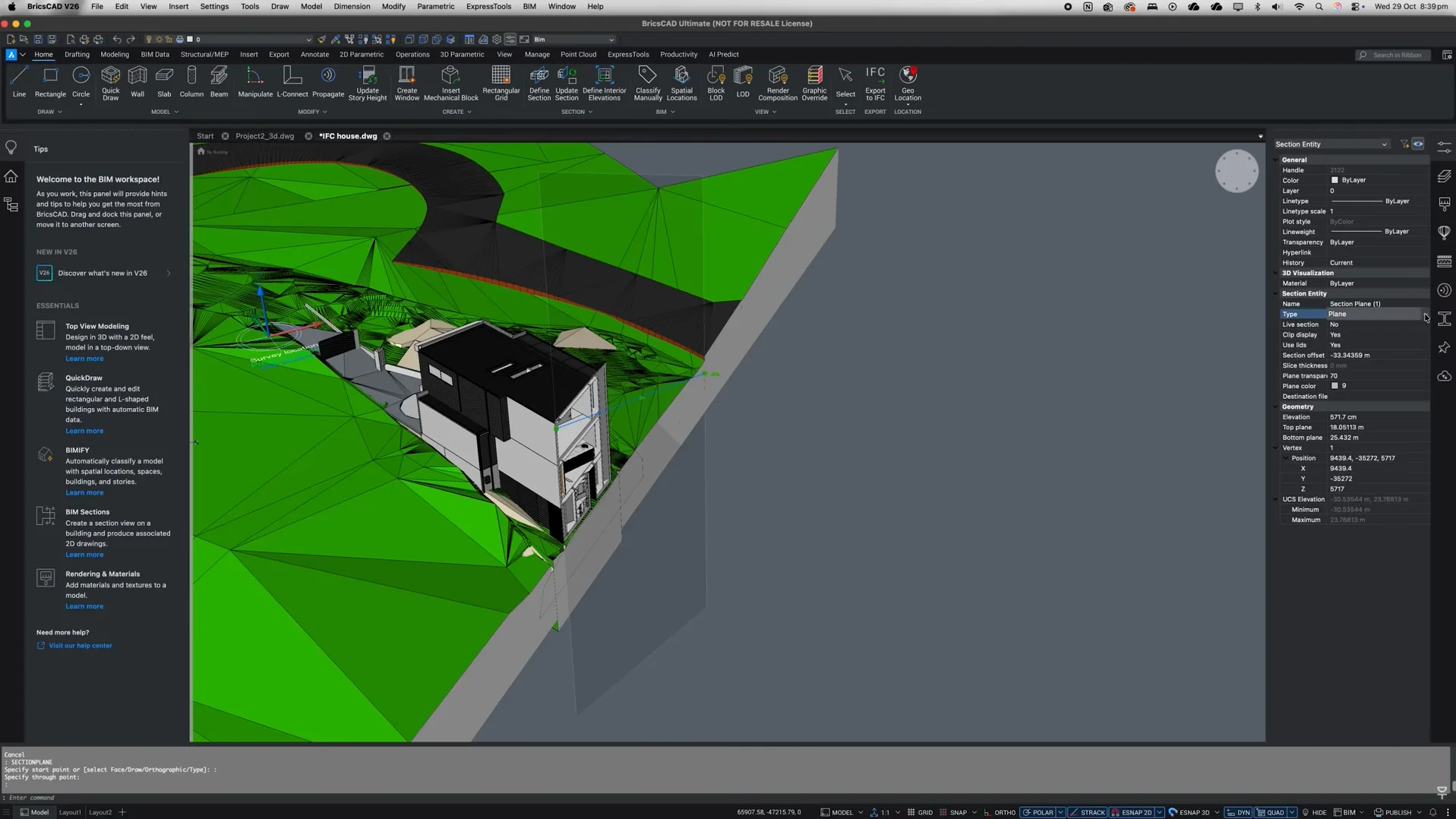
BricsCAD
BricsCAD’s strongest differentiator is native DWG compatibility combined with modular BIM and Mechanical toolsets that run in the same lightweight executable. In practice this means firms using mixed CAD software can open, edit, and save DWG files without frequent conversion steps, preserving blocks, xrefs, and dimension styles. For low-end PC workflows file exchange becomes predictable; automation via LISP, BRX, and .NET keeps common drafting tasks scripted and portable across projects. The integrated parametric modeling and sheet-metal features reduce tool switching between 2D drafting and 3D design, keeping model/drawing references consistent in engineering design tools.
On cramped hardware BricsCAD is more efficient than full AutoCAD but heavier than minimal 2D apps. Large BIM models or assemblies push RAM and viewport performance on integrated GPUs and may require simplified display modes. Some advanced modules are separate licenses increasing cost and build complexity. API parity is strong but occasional DWG version quirks require attention when collaborating with other CAD software. Export to IFC and BIM workflows are usable but not as mature as heavyweight BIM platforms.Best For: Small teams needing reliable DWG editing and moderate BIM/mechanical on budget PCs
Pricing: Mid-tier / Subscription-based
- Native DWG fidelity
- Modular BIM and mechanical
- Scriptable automation (LISP/BRX)
| Pros ✓ DWG compatibility ✓ Parametric 3D tools ✓ LISP and API support ✓ Lower overhead than AutoCAD |
Cons ✗ Heavier than pure 2D apps ✗ Advanced modules cost extra ✗ Large BIM models tax RAM |
Explore more:
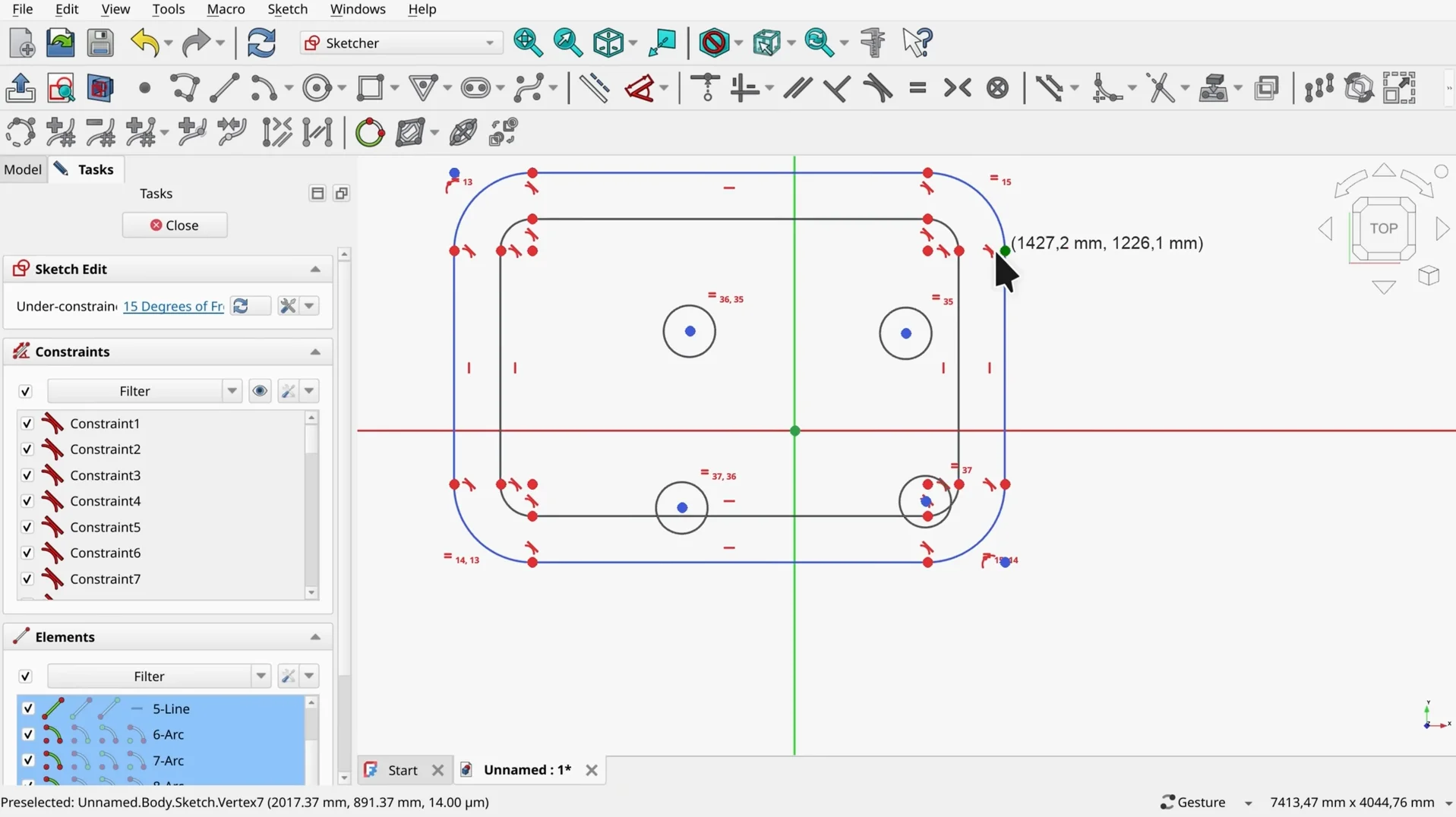
FreeCAD
FreeCAD's strongest differentiator is its parametric, open-source kernel with embedded Python scripting. This combination enables automated model generation, design variant scripting, and customizable workbenches that fit constrained hardware by offloading heavy tasks to scripts rather than GUI interactions. In practice engineers use FreeCAD to build parametric assemblies, export STEP/IGES for downstream CAM, and run batch STL exports on low-end PCs without a full commercial CAD license. Its Python API simplifies repetitive drafting tasks and geometry-driven part families making it suitable for lightweight CAD automation workflows.
File exchange and interoperability are pragmatic but uneven. Neutral formats (STEP, IGES, DXF) work reliably, but complex constraints and assembly history rarely translate to proprietary tools. Compared to BricsCAD or nanoCAD this means fewer native DWG roundtrips but better scripting flexibility. Technical limitations include a less polished 2D drafting environment, absence of robust DWG editing, slower large-assembly visualization, and inconsistent GUI responsiveness on very old GPUs. Constrained multi-threading and occasional workbench stability issues also affect production pipelines.Best For: Makers, hobbyists, and small engineering teams needing parametric scripting on low-end PCs
Pricing: Free / Open-source
- Parametric modeling with scripting
- Good STEP/IGES interoperability
- Lightweight automation on low-spec PCs
| Pros ✓ Parametric Python API ✓ Open-source cost ✓ STEP/IGES support ✓ Lightweight installs |
Cons ✗ Weak native DWG support ✗ 2D drafting is limited ✗ Slow with large assemblies ✗ Occasional workbench bugs |
Explore more:
nanoCAD
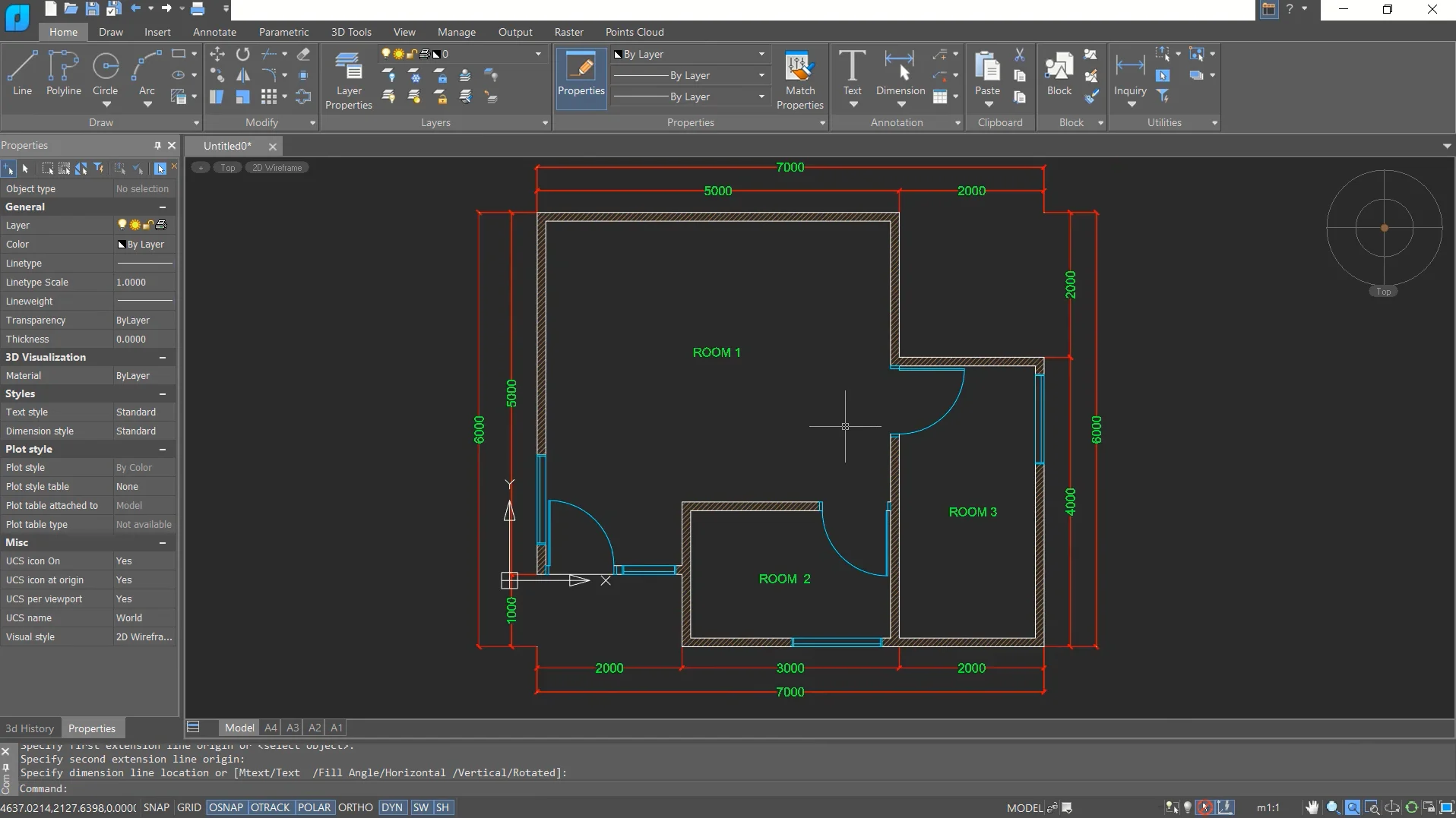
nanoCAD’s strongest differentiator is its DWG-native engine combined with a very small memory and CPU footprint, giving near-accurate DWG fidelity on low-end hardware. This lets teams open, edit, and save DWG files without heavy conversion, preserving geometry, layers, and block structure for handoffs to other CAD software.
In practice that means faster file exchange and reliable 2D drafting workflows on underpowered laptops. The program supports scripting and basic automation through standard APIs and LISP-compatible routines, enabling batch plotting, attribute extraction, and drawing cleanup in CI/CD-style engineering pipelines. Interoperability with other CAD software is straightforward for drawings, but expect manual steps when transferring complex custom entities or parametric features to more advanced BIM workflows like BricsCAD or dedicated BIM tools.
Technical limitations include limited parametric 3D modeling and weak performance on large assemblies, fewer industry-specific toolsets, and a smaller third-party plugin ecosystem. Rendering and advanced simulation integrations are minimal. File merges of complex external references require careful management to avoid layer and block conflicts.
Best use case: fast 2D drafting and DWG-centric collaboration on low-end PCs for small engineering offices and field teams.Best For: 2D drafters and small firms on low-end hardware
Pricing: Mid-tier / Subscription-based
- DWG-native, low resource use
- Lightweight automation support
- Reliable basic interoperability
| Pros ✓ DWG fidelity ✓ Low memory footprint ✓ LISP/API support |
Cons ✗ Limited parametric 3D ✗ Few industry plugins ✗ Weak large-assembly handling |
Explore more:
LibreCAD
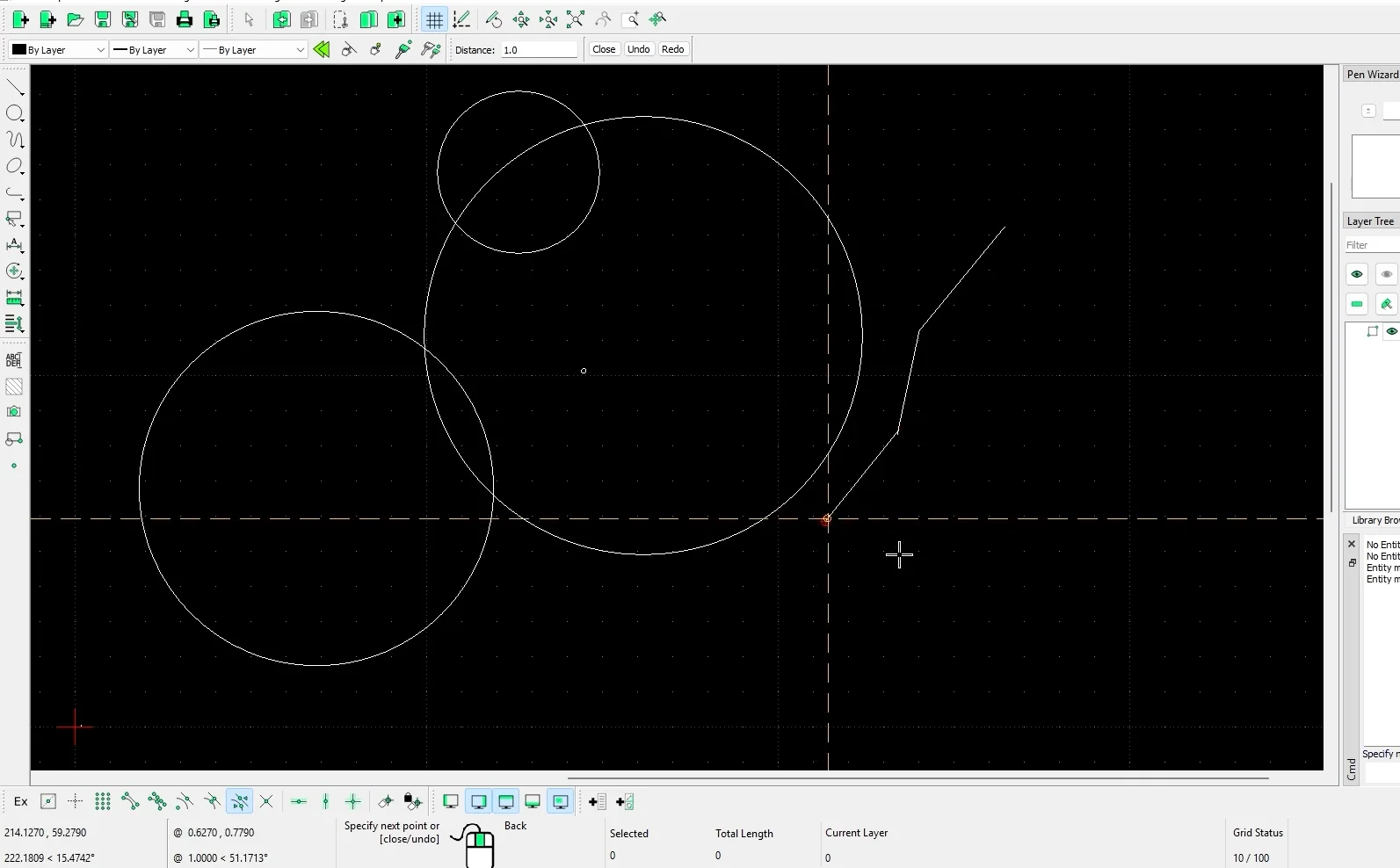
LibreCAD’s strongest differentiator is its ultra-lightweight 2D-only engine that runs comfortably on sub-4GB RAM machines. This makes it practical for fast screen redraws and editing of DXF-based drawings on low-end PCs where full CAD packages are sluggish. The app’s minimal dependencies and Qt UI keep install size small and CPU usage low.
In real workflows LibreCAD excels as a drafting workhorse for linework, dimensioning, and annotation. File exchange is centered on DXF; export and import are reliable for 2D CAD workflows but DWG support is limited and often requires conversion tooling. Automation is basic: macro-style commands exist but there is no full LISP or advanced API for complex scripting. Modeling and BIM workflows are not supported. Drawing templates, layer management, and block insertion are efficient for repetitive 2D tasks, but interoperability with modern BIM workflows and parametric CAD software is a clear trade-off compared with FreeCAD or BricsCAD.
Technical limitations include no native 3D or parametric modeling, incomplete DWG read/write fidelity, limited scripting/automation hooks, and no BIM data handling. Use LibreCAD when you need a responsive, lightweight CAD editor for 2D drafting and fast DXF-centric file exchange on low-spec hardware.Best For: Basic 2D drafting on low-end PCs
Pricing: Free
- Extremely low system requirements
- Reliable DXF editing and export
- Simple, fast drafting tools
| Pros ✓ Very low memory footprint ✓ Fast 2D redraws ✓ Small install size ✓ Clean DXF workflow |
Cons ✗ No 3D or BIM ✗ Limited DWG fidelity ✗ Minimal scripting API ✗ Basic layer controls |
Explore more:
QCAD
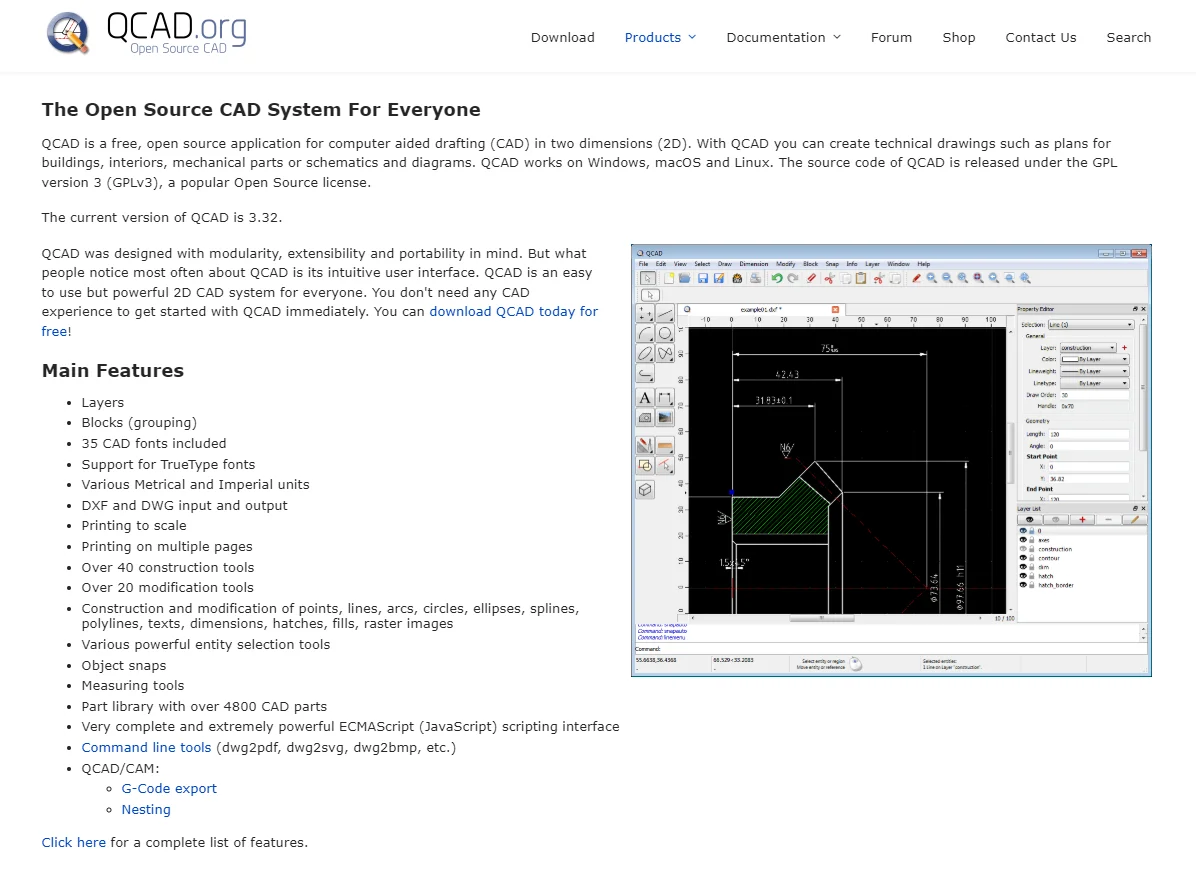
QCAD’s strongest differentiator is its focused 2D drafting engine paired with a lightweight, scriptable UI. The application loads DXF natively and exposes an ECMAScript console for task automation, making repetitive drafting edits and batch DXF manipulations fast on low-end hardware. In engineering workflows this translates to quick file edits, predictable layer and block behavior, and simple export to DXF for downstream CNC or plotting. Using QCAD speeds drawing cleanup, dimensioning, and template-driven sheet creation where full 3D modeling is not required.
Practical trade-offs matter. QCAD is not a modeling or BIM tool. There is no native 3D workspace, limited parametric constraints, and DWG interchange typically requires conversion or a paid plugin, which affects cross-team interoperability with AutoCAD or BricsCAD-centric workflows. Automation is powerful for 2D via scripts but lacks the API depth found in heavier CAD software. Printing and layout tools are basic compared with LibreCAD and FreeCAD’s different strengths. For teams needing strict DWG round-tripping or integrated BIM workflows choose a different tool.Best For: Engineers and drafters needing fast 2D CAD on low-end PCs
Pricing: Mid-tier / one-time license with optional paid plugins
- Small footprint, fast startup
- Scriptable 2D automation
- Reliable DXF editing
| Pros ✓ Lightweight and fast ✓ ECMAScript automation ✓ Clear 2D workflow ✓ Stable on low RAM |
Cons ✗ No native 3D modeling ✗ Limited parametrics ✗ DWG requires conversion ✗ Basic layout tools |
Conclusion
BricsCAD stands out for users who need robust DWG support and scalable parametric or BIM-lite work on modest machines. FreeCAD suits professionals needing parametric modeling, scripting, and batch automation. nanoCAD fits beginners or teams wanting an AutoCAD-like interface with minimal footprint. LibreCAD and QCAD are best for pure 2D drafting on legacy or ultra-low-spec hardware. Key differences are DWG fidelity, modeling depth, scripting capability, and installer size. For the best AutoCAD alternative for low-end PC, match the tool to your dominant task: choose LibreCAD/QCAD for tiny installs, nanoCAD for familiarity, FreeCAD for automation, and BricsCAD for mixed workflows.
FAQ
What is the best overall option among these lightweight AutoCAD alternatives?
BricsCAD and nanoCAD stand out as the best overall options: BricsCAD balances reduced memory footprint with extensive DWG compatibility and a broader toolset, while nanoCAD delivers a lightweight, familiar drafting environment on low-end hardware. Choice depends on whether advanced CAD features or strict DWG fidelity matter more.
Which program is the best AutoCAD alternative for low-end PC when running complex 3D models?
FreeCAD is the most practical for modest 3D work on low-end PCs due to its parametric modeling approach and modular architecture, allowing selective module use to limit memory load. It’s slower than desktop-class CAD on very constrained machines but offers the most 3D capability among the compared options.
Which tool is easiest for users transitioning from AutoCAD for basic 2D drafting?
nanoCAD and BricsCAD provide the closest AutoCAD-like interfaces and command structures, easing the transition for basic 2D drafting. nanoCAD is lighter and simpler to set up on older hardware, while BricsCAD preserves more advanced drafting workflows for users who may need them later.
How do pricing and licensing compare for engineers on tight budgets?
LibreCAD and QCAD are the most budget-friendly, offering open-source or low-cost licensing suitable for cost-sensitive users. FreeCAD is free and extensible but requires more setup for workflow integration. BricsCAD and nanoCAD have commercial licenses that offer more features but higher cost, which may be justified by productivity gains.
Which program is better suited for mechanical design versus architectural 2D plans?
For mechanical design, FreeCAD (parametric parts and assembly tools) or BricsCAD (comprehensive modeling) are preferable. For architectural 2D plans, LibreCAD, QCAD, or nanoCAD provide lightweight, CAD-focused 2D drafting with lower system requirements. Select based on required 3D capability and file interoperability.
![How to Reduce DWG File Size (AutoCAD) – Step-by-Step Guide [2026]](https://engineeratlas.com/wp-content/uploads/2026/04/How-to-Reduce-DWG-File-Size-AutoCAD.png)