
Table of Contents (TOC)
Introduction
The best CAD software for civil engineers in 2026 depends on project type, and Autodesk Civil 3D is often the leading pick for complex road and site design. This comparison reviews Autodesk Civil 3D, Bentley OpenRoads, Autodesk Revit, BricsCAD, and QGIS across typical civil engineering needs. Projects usually hinge on workflow integration, file compatibility with survey and BIM data, licensing and total cost, plus modeling fidelity for corridors, grading, and GIS-driven analysis. Evaluation focuses on workflow fit, interoperability, pricing, and primary use case suitability.
In practice, tools vary by how they fit daily tasks and data flows. Use BricsCAD for efficient 2D drafting and detailing with DWG workflows. Choose Civil 3D or OpenRoads for parametric corridor and alignment design that ties to survey models. Pick Revit when structural and multidisciplinary BIM coordination is required. Rely on QGIS for geospatial data preparation and free GIS-driven mapping before CAD modeling.
Best CAD Software by Use Case
- Best Overall: Autodesk Civil 3D — comprehensive corridor, grading, and corridor modeling for complex civil projects.
- Best for Beginners: BricsCAD — familiar AutoCAD-like drafting environment with affordable licensing and easy learning curve.
- Best for Professionals: Bentley OpenRoads — advanced terrain, alignment, and parametric road design for large infrastructure.
- Best Free Option: QGIS — powerful geospatial processing and data integration for survey, mapping, and analysis workflows.
| Software | Best For | Difficulty | Price | Platform | Quick Take | Action |
|---|---|---|---|---|---|---|
| Autodesk Civil 3D | Civil design | Hard | Subscription | Desktop | ✓ Advanced corridor & grading tools
✗ Steep learning curve |
View Review |
| Bentley OpenRoads | Infrastructure modeling | Very Hard | Custom Quote | Desktop | ✓ Powerful corridor & BIM integration
✗ High cost and complexity |
View Review |
| Autodesk Revit | BIM coordination | Hard | Subscription | Desktop | ✓ Industry-standard BIM toolset
✗ Not focused on detailed civil geometry |
View Review |
| BricsCAD | Cost-conscious CAD | Moderate | Perpetual | Desktop | ✓ DWG-compatible and affordable
✗ Fewer specialized civil features |
View Review |
| QGIS | Geospatial analysis | Moderate | Free | Hybrid | ✓ Robust GIS tools and plugins
✗ Less suited for detailed CAD drafting |
View Review |
Autodesk Civil 3D
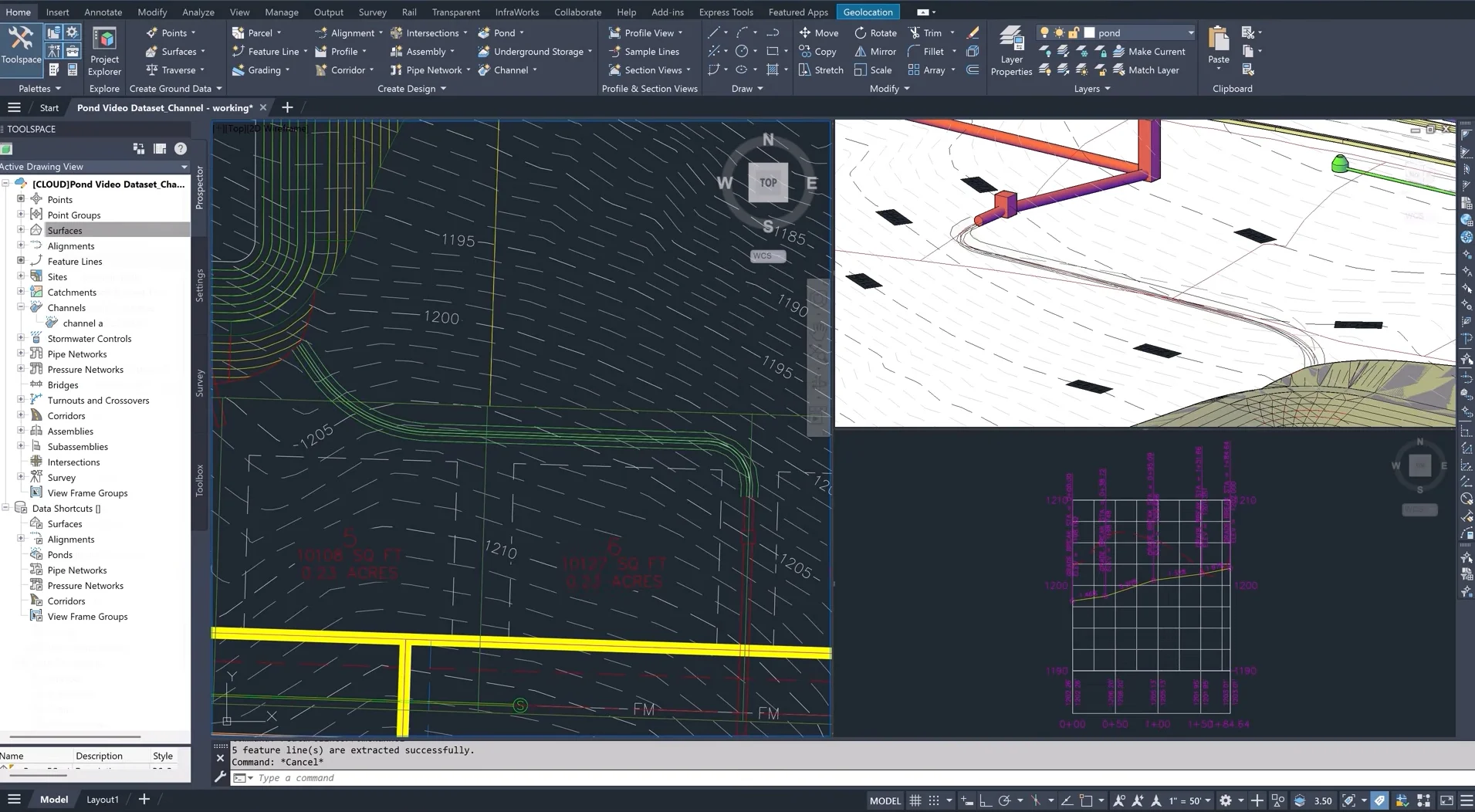
Autodesk Civil 3D’s strongest differentiator is its corridor and surface modeling engine tightly integrated with dynamic alignment and profile tools, enabling parametric corridor updates across large infrastructure models. This capability keeps design intent linked to grading, pipe networks, and parcels so engineers can iterate alignments without manual rework. The data shortcut and xref-based project structure affect file exchange and collaboration by allowing segmented ownership of large datasets but require strict folder paths or BIM 360/Autodesk Docs to avoid broken references. Civil 3D automates corridor frequency, daylighting, and quantity extraction, which streamlines drafting and reduces downstream CAD cleanup in BIM workflows.
Practical workflow impacts include efficient production of construction-ready plans, automated earthwork volume reconciliation, and direct export of labeled surfaces and IFC geometry for Revit-based coordination. Integration with Autodesk Vehicle Tracking and Map 3D supports interoperability but introduces trade-offs versus Bentley OpenRoads where native DGN workflows or different superelevation methods may be preferred. Technical limitations are explicit: heavy model files degrade performance on sub-32GB machines, stylesheet and label management is complex to standardize across templates, and API automation demands experienced .NET/LISP developers for robust scripts. Civil 3D also has constrained native GIS attribute handling compared with QGIS.
Best For: Transportation and land development engineering teams
Pricing: Subscription-based / Mid-tier to Premium
- Robust corridor modeling
- Parametric design updates
- Good Autodesk ecosystem interoperability
|
Pros ✓ Parametric corridor engine ✓ Strong earthwork tools ✓ Solid interoperability with Revit |
Cons ✗ High memory usage ✗ Complex labeling system ✗ GIS handling limited |
Bentley OpenRoads
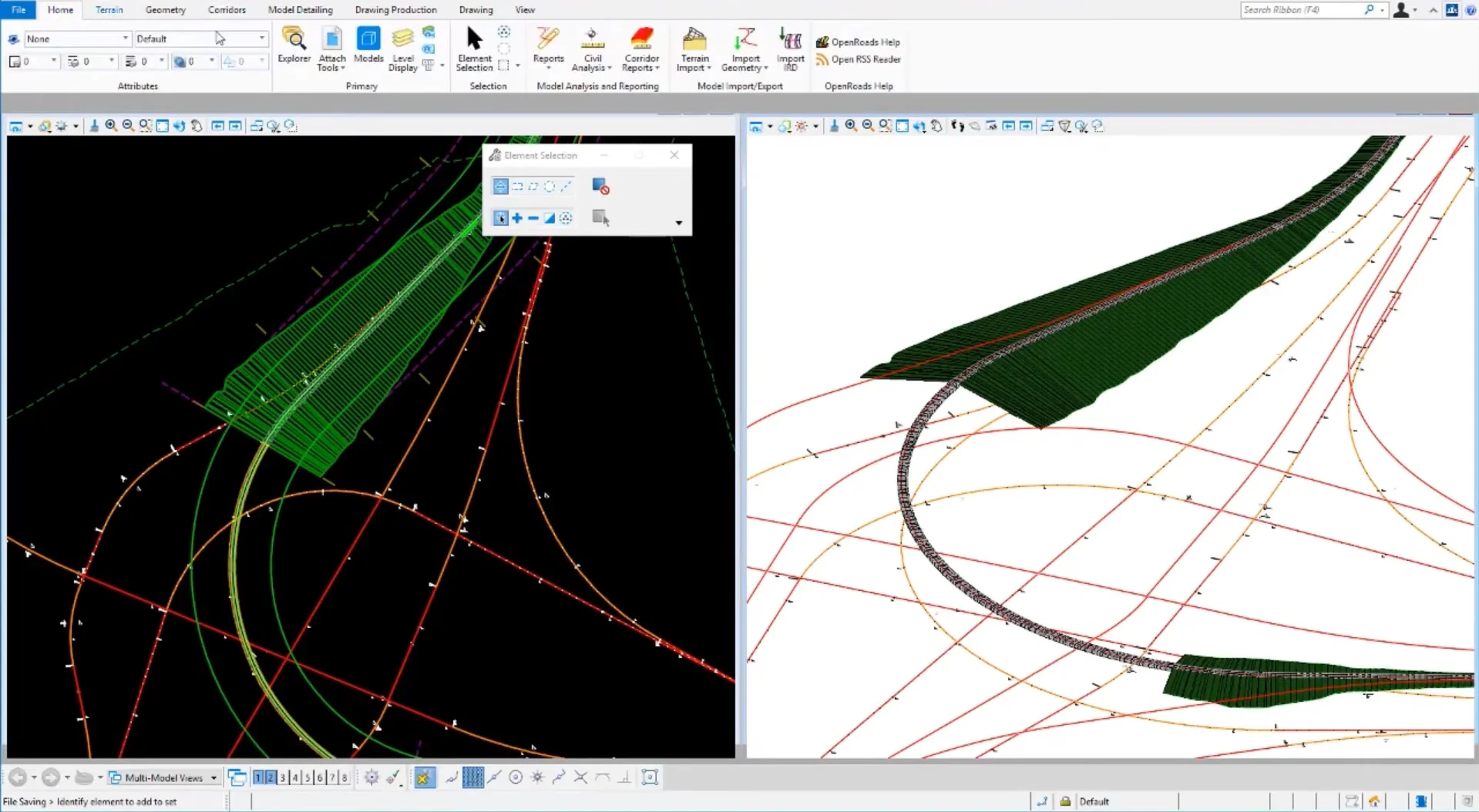
Bentley OpenRoads' strongest differentiator is its model-centric corridor and standards manager that enforces assembly, superelevation and template rules across multi-segment projects. The rule-based definition lets teams propagate design standards and revisions across alignments without manual rework, improving file exchange consistency with IFC, LandXML and DGN. This capability changes drafting workflows by shifting work from repeated surface edits to parametric template updates and automated cross-section regeneration. Integration with GIS and point-cloud imports supports surveyed as-built workflows and reduces manual cleanup when linking to QGIS or Civil 3D datasets.
The practical impact is faster quantity extraction, deterministic automation of earthworks and predictable interoperability in BIM workflows. OpenRoads handles large terrain models and phased construction sequences well but has technical limitations. The scripting API is less mature than some competitors, so heavy custom automation often requires Bentley CONNECT SDK investment. File federation can be heavyweight; large DGN datasets demand high memory and multi-core resources. Tight coupling to Bentley standards can complicate collaborative workflows when partners use Civil 3D or BricsCAD outputs without consistent LandXML conventions.Best For: Highway and corridor design teams needing standards-driven modeling
Pricing: Premium / Subscription-based
- Standards-driven corridor modeling
- Robust terrain and phasing tools
- Strong BIM interoperability
| Pros ✓ Standards enforcement ✓ Large terrain handling ✓ IFC and LandXML support |
Cons ✗ Steep learning curve ✗ Heavy resource use ✗ Limited scripting maturity |
Autodesk Revit
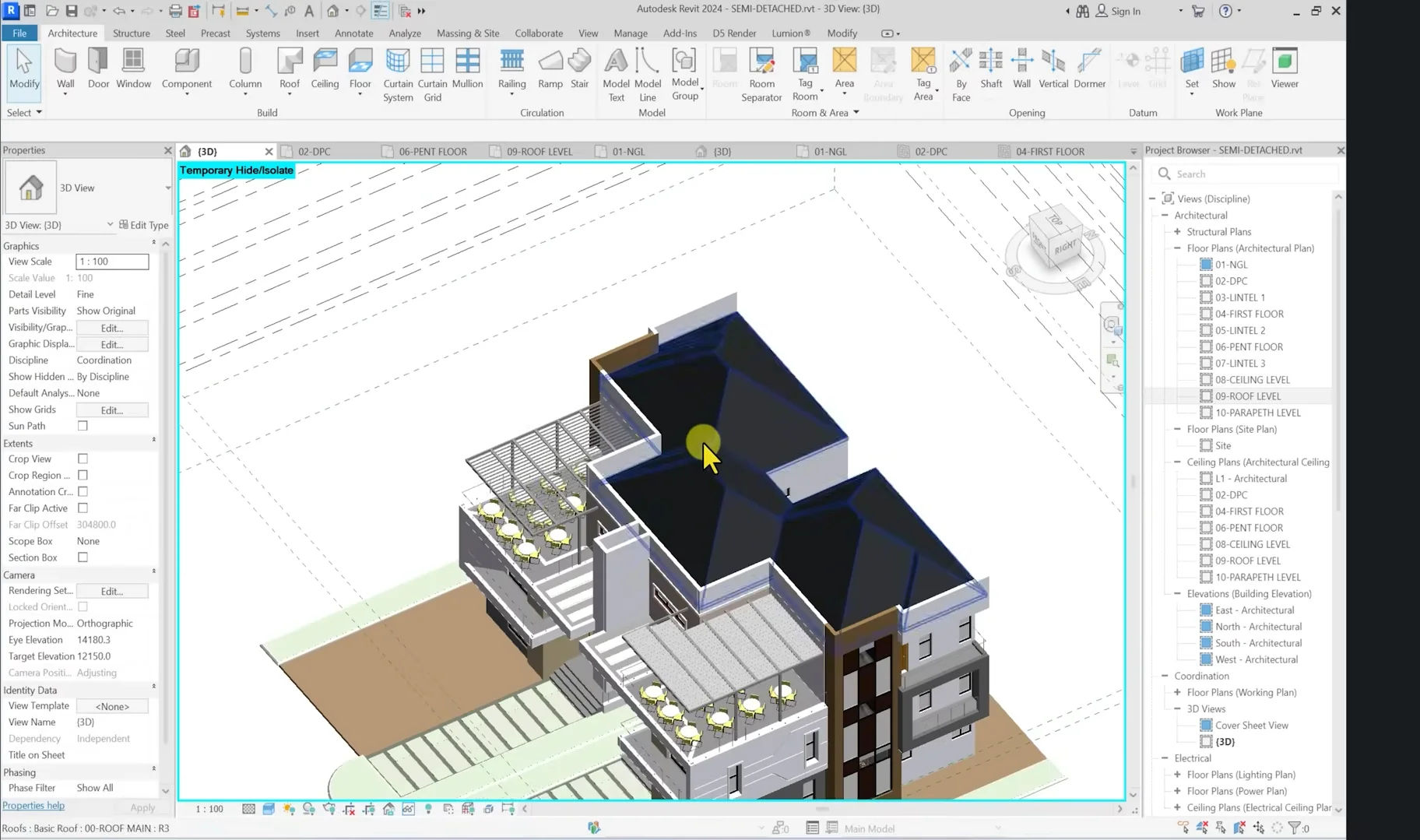
Autodesk Revit’s strongest differentiator is its native parametric BIM environment for coordinated, discipline-aware models. That capability enforces object-based elements, automatic schedule generation, and live section/drawing updates, which directly reduces manual coordination in multidisciplinary projects. For civil workflows this means models exported to IFC or linked via Navisworks maintain element metadata for clash detection, quantity takeoff, and phase-based construction sequencing. File exchange with Civil 3D or OpenRoads requires explicit links or IFC mapping and sometimes intermediate exports; expect extra cleanup when transferring surface, corridor, or alignment data. Automation via Dynamo supports repeatable drafting and model checks but requires Dynamo scripting expertise to integrate with civil data sources or batch exports.
Revit impacts modeling and drafting by centralizing geometry and annotations into a single source of truth. Practical tasks like cross-section production, reinforcement tagging, and linked sheets are faster when the project stays within Revit/BIM workflows. Technical limitations include limited native earthwork and alignment tools compared with civil-focused tools, large model performance hits past tens of thousands of elements, and IFC export mismatches for complex assemblies. As a trade-off, competitors like Civil 3D offer stronger corridor and alignment utilities at the cost of less integrated building-level BIM coordination. Use Revit when project requirements prioritize coordinated BIM deliverables and multidiscipline documentation over heavy civil alignment modeling.Best For: Building-civil coordinated BIM projects and documentation
Pricing: Premium / Subscription-based
- Discipline-aware parametric models
- Strong documentation automation
- BIM interoperability via IFC
| Pros ✓ Parametric BIM environment✓ Robust documentation tools✓ Dynamo automation support |
Cons ✗ Weak native earthworks✗ Performance on huge models✗ IFC export inconsistencies |
BricsCAD
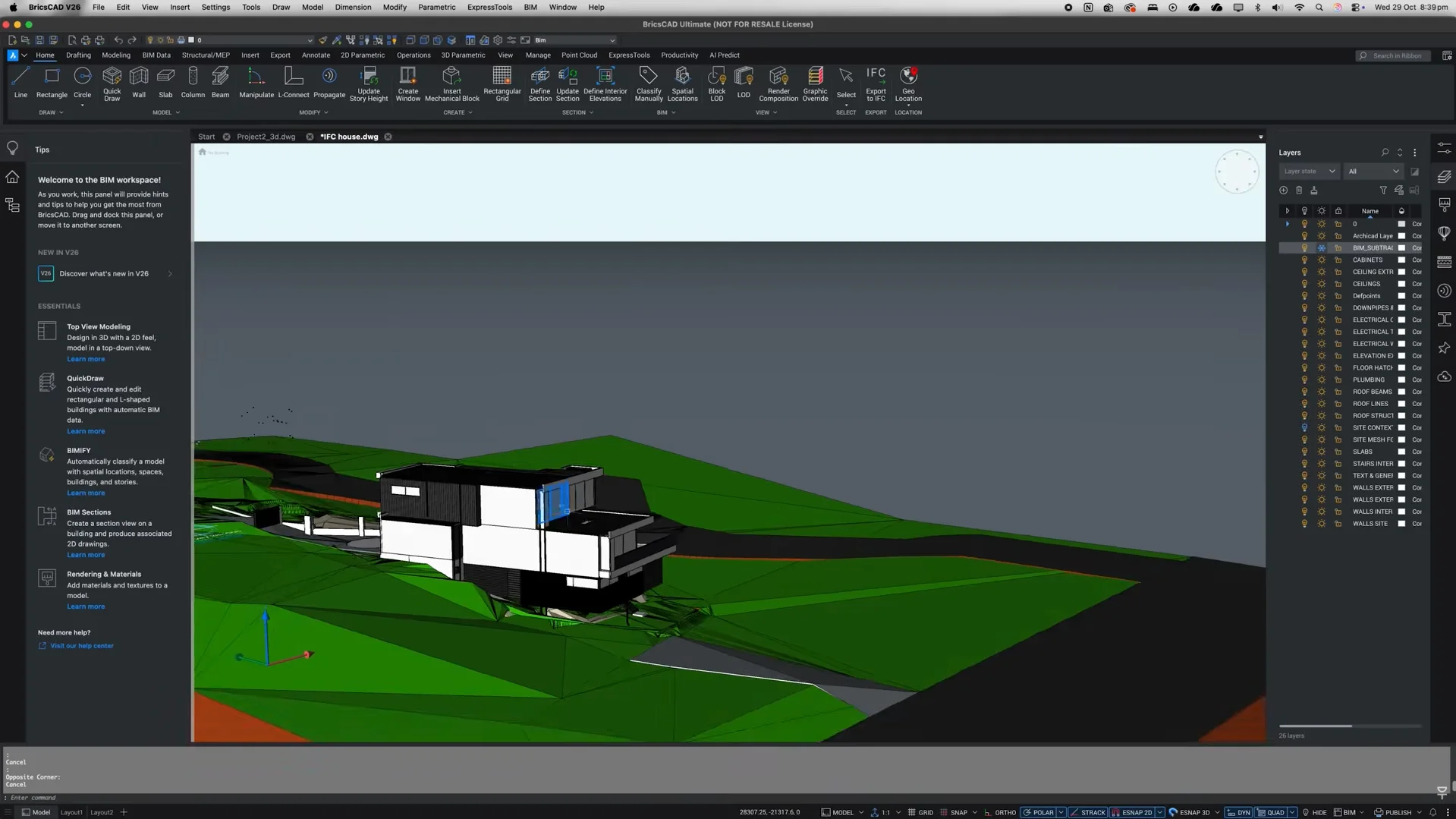
BricsCAD offers the strongest differentiator in its AutoCAD-compatible DWG-native kernel combined with parametric BIM and mechanical modules in one licensing stack. This unifies 2D drafting, 3D modeling, and BIM data exchange without forcing conversion to a separate file format. For civil engineering workflows that juggle survey deliverables, alignments, and engineering models, that means fewer translation steps, direct DWG edits, and automated scriptable tasks via LISP or BRX for plotting and coordinate transformations.
The practical impact is reduced file-exchange friction with consultants using AutoCAD and faster automation for recurring tasks: batch-exporting annotated sheets, running alignment checks, and generating section views from 3D surface models. BricsCAD integrates with common GIS and BIM workflows but lacks the advanced corridor modeling and native civil feature set found in Autodesk Civil 3D or the advanced geomatic toolchain of Bentley OpenRoads, so expect manual setup for complex corridor templates. Notable technical limitations include limited native earthwork/grading automations, less mature point-cloud processing than some competitors, and occasional differences in advanced AutoCAD-specific LISP quirks.
Best use case is small-to-mid civil teams needing DWG-centric CAD software with BIM-ready capabilities and scriptable automation.
Best For: DWG-centric civil teams needing automation
Pricing: Mid-tier / Subscription-based
- DWG-native unified platform
- Scriptable automation (LISP/BRX)
- BIM and 3D modeling together
|
Pros ✓ DWG compatibility ✓ Integrated BIM tools ✓ Strong scripting support |
Cons ✗ Limited corridor tools ✗ Weaker point-cloud tools ✗ Some AutoCAD quirks |
QGIS
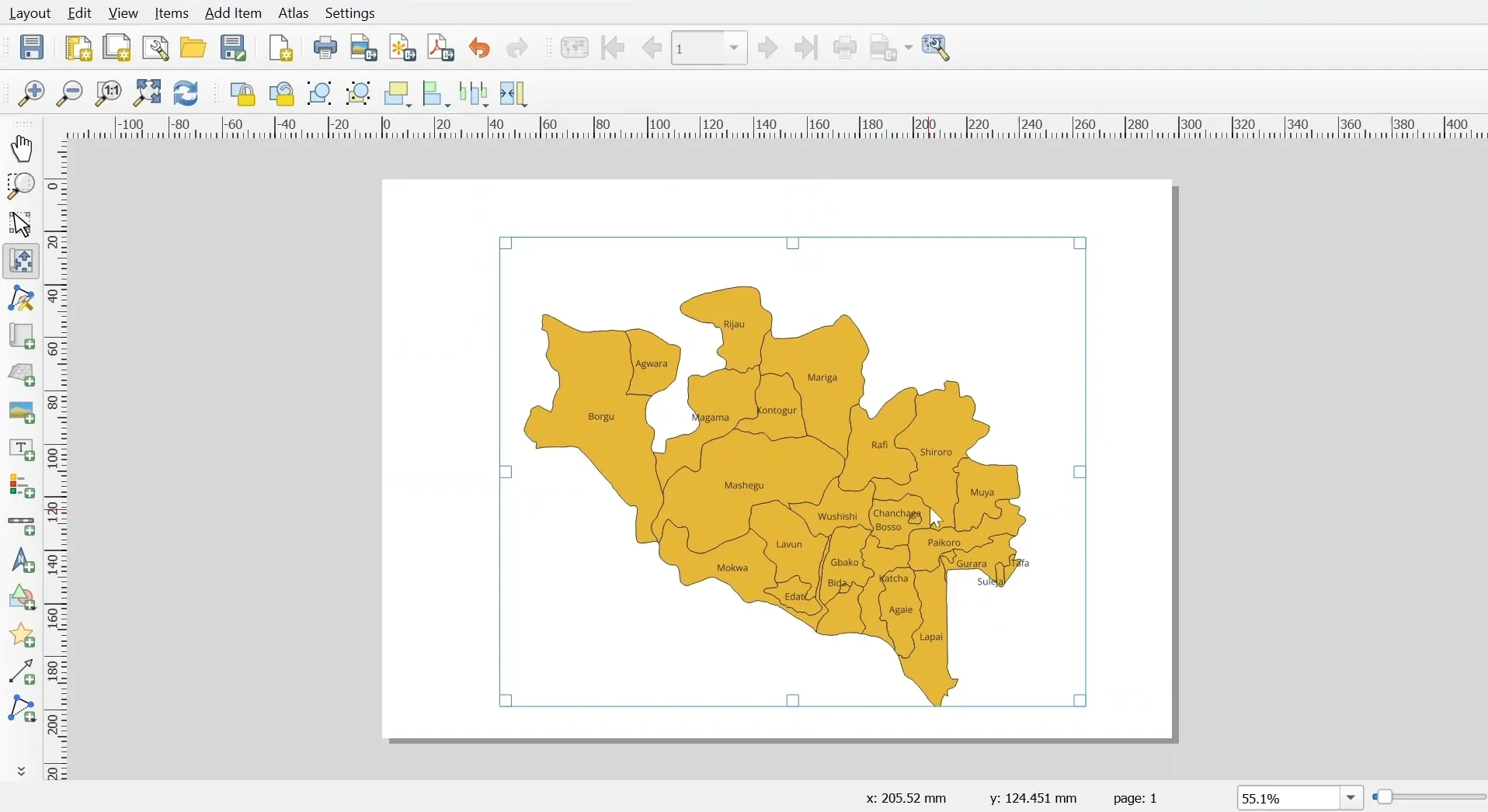
QGIS stands out for native open-source GIS integration and scriptable extensibility via PyQGIS and the Processing framework. This capability lets teams embed geoprocessing, coordinate transformations, and reprojection steps directly into automation chains, improving repeatable data prep for CAD software and BIM workflows.
Practical impact on project workflows is direct. Use QGIS to clean survey point clouds, run buffer/clip/topology checks, and export shapefiles, GeoJSON, or DXF for downstream drafting in Civil 3D or BricsCAD. The Processing modeler and Python console enable batch conversions, custom QA rules, and integration with SAGA/GDAL tools. Interoperability relies on GDAL/OGR drivers; this supports many formats but has trade-offs. Compared with Autodesk Civil 3D or Bentley OpenRoads, QGIS does not provide native corridor modeling, parametric alignments, or full DWG write support. Technical limitations include limited 3D civil design features, performance degradation on very large point clouds or high-resolution rasters, reliance on plugins for DWG handling, and fewer built-in standards for construction-ready deliverables.
Best use case is geospatial preprocessing, survey data validation, and map production feeding engineering design tools. For civil teams focused on spatial accuracy and automation, QGIS is a practical complement to traditional CAD software.
Best For: GIS-led civil projects, survey data prep
Pricing: Free / Open-source
- Strong geoprocessing automation
- Wide format support via GDAL
- Scriptable with Python
|
Pros ✓ Open-source extensibility ✓ Robust format support ✓ Powerful geoprocessing |
Cons ✗ No native corridor tools ✗ Limited DWG write support ✗ Handles huge datasets slowly |
Conclusion
Autodesk Civil 3D and Bentley OpenRoads lead for complex corridor and civil infrastructure workflows, with Civil 3D favored for Autodesk-centric offices and OpenRoads for data-rich, multidisciplinary projects. Autodesk Revit is best for BIM-driven structural and interdisciplinary coordination. BricsCAD suits CAD drafters and budget-conscious practices needing DWG compatibility. QGIS is the go-to for geospatial analysis and open-data integration. These distinctions highlight performance, interoperability, and workflow fit when evaluating the best CAD software for civil engineers. Choose the tool that matches your primary workflow—design corridors, BIM coordination, pure drafting, or GIS—to minimize integration effort and speed project delivery.
FAQ
What is the best CAD software for civil engineers for 2026?
“Best” depends on project needs: Autodesk Civil 3D is often preferred for earthworks and corridor design, Bentley OpenRoads for complex road modeling and standards-driven workflows, Revit when BIM coordination with structures matters, BricsCAD for cost-effective DWG-centric drafting, and QGIS for GIS analysis and mapping integration.
Which program fits a survey-to-design workflow most smoothly?
Survey-to-design workflows typically favor Autodesk Civil 3D or Bentley OpenRoads because they support point-cloud/survey import, surface creation, and dynamic design elements. QGIS complements those tools for spatial analysis but is not a primary design package; BricsCAD can handle drafting handoffs where DWG compatibility is required.
How steep is the learning curve for each compared CAD package?
Revit and Civil 3D have steeper initial learning curves due to BIM and parametric design concepts. OpenRoads requires understanding roadway engineering paradigms. BricsCAD is closer to traditional CAD, easing transition for DWG users. QGIS is accessible for GIS tasks but requires GIS fundamentals for advanced analysis.
Which option offers the best value for small civil engineering firms?
Small firms often prioritize licensing cost and DWG compatibility: BricsCAD can be most cost-effective for drafting-heavy work, while QGIS provides powerful GIS functions at low cost. Civil 3D and OpenRoads offer broader civil-specific features but involve higher licensing and training investments.
Which software is most suitable for highway and corridor design specifically?
Bentley OpenRoads and Autodesk Civil 3D are the most suitable for highway and corridor design, offering corridor modeling, alignments, and cross-section tools. Choice depends on regional standards, integration with survey data, and existing office workflows; Revit and QGIS are supportive but not primary corridor design tools.
![How to Reduce DWG File Size (AutoCAD) – Step-by-Step Guide [2026]](https://engineeratlas.com/wp-content/uploads/2026/04/How-to-Reduce-DWG-File-Size-AutoCAD.png)